CENTURION Mini Product Catalogue

Showing posts with label remotes. Show all posts

Friday, 21 October 2016

NOVA: A New Feeling of Reliability

We’ll cut straight to the chase: pressing a button on the newly-revamped NOVA code-hopping remote feels good. There’s a moment of chemistry between man and device just before the silicone button submits to one’s touch; one could almost call it a moment of reassurance.

Yes, come to think of it, that’s exactly what it is.

In that one breathless moment just before kinetic energy is transduced into electrical energy, and electrical into radio, the button vows never to let you down. And with its tough, durable silicone body – made to withstand a lifetime of pressing – and the remote’s updated carbon look, what choice does one have but to believe its solemn promise?

In the some 15 years of its existence, NOVA remotes have become so ubiquitous that keychains seem wholly incomplete without the easily-recognisable blue and grey (NOVA’s colours before the carbon overhaul) remote cheerfully dangling from it. It’s come to embody something of the spirit of home, of family and of security.

It makes perfect sense, when one gets right down to it. The remote is more than a collection of buttons of electronics: it’s the key to your world and, whenever you press that magical button, you’re either opening the gateway to your sanctuary, or you’re securing it until your return. In this way, the remote is almost like a totem, a trinket signifying peace of mind and a little piece of home that you can take with you wherever you go.

The NOVA remote is one of the five products that have been improved as part of the 5x Better campaign currently being launched through a series of roadshows and product days countrywide.
To find out when the roadshow will be hitting your town, click on one of the links below:

Wednesday, 25 April 2012

Adding a CENTURION Remote To Your D-Series Gate Motor


in·tu·i·tive \in-'tü-ə-tiv, -'tyü-\ adj (ca. 1645)
1 a : known or perceived by intuition : directly apprehended  b : knowable by intuition ‹~ truths› c : based on or agreeing with intuition ‹~ responses› ‹makes ~ sense› d : readily learned or understood ‹software with an ~ interface›
2 : knowing or perceiving by intuition
3 : possessing or given to intuition or insight ‹an ~ mind›
— in·tu·i·tive·ly adv
— in·tu·i·tive·ness n

 This is the word that best describes the CENTURION D-Series interface.  Intuitive.  When you get right down to it, there’s really very little thinking to be done on the part of the user – the controller does it all for you!  From setting the limits to learning additional remote controls, setting up your gate motor using this advanced platform is like having a friendly robot holding your hand and guiding you through each and every step.
But, just in case you don’t know just how easy it is, this tutorial will guide you through adding a CENTURION code-hopping remote control to a D-Series gate motor’s onboard receiver.

1.        Enter Programming Mode by pressing and holding the oblong (centre) button for approximately two seconds.  The words “Setting Limits” will appear on the LCD display. 


2.       Press the up arrow once – the words “Remote Controls (Tx)” will appear on the screen.  Press and release the oblong button (this button serves as an “enter” or confirmation button of sorts) to enter the Remote Controls menu.


3.       “Add Remote” will now appear on the screen.  Press and release the oblong button.


4.       The controller will now ask you what you want to use the remote for, for e.g. triggering the gate, opening for pedestrians, activating the Holiday Lockout feature, etc.  Say, for e.g. that you wish to press the remote to open, stop and close the gate; you will then select “Trigger Gate” as the primary function.  Once again you will use the oblong button to confirm your selection.

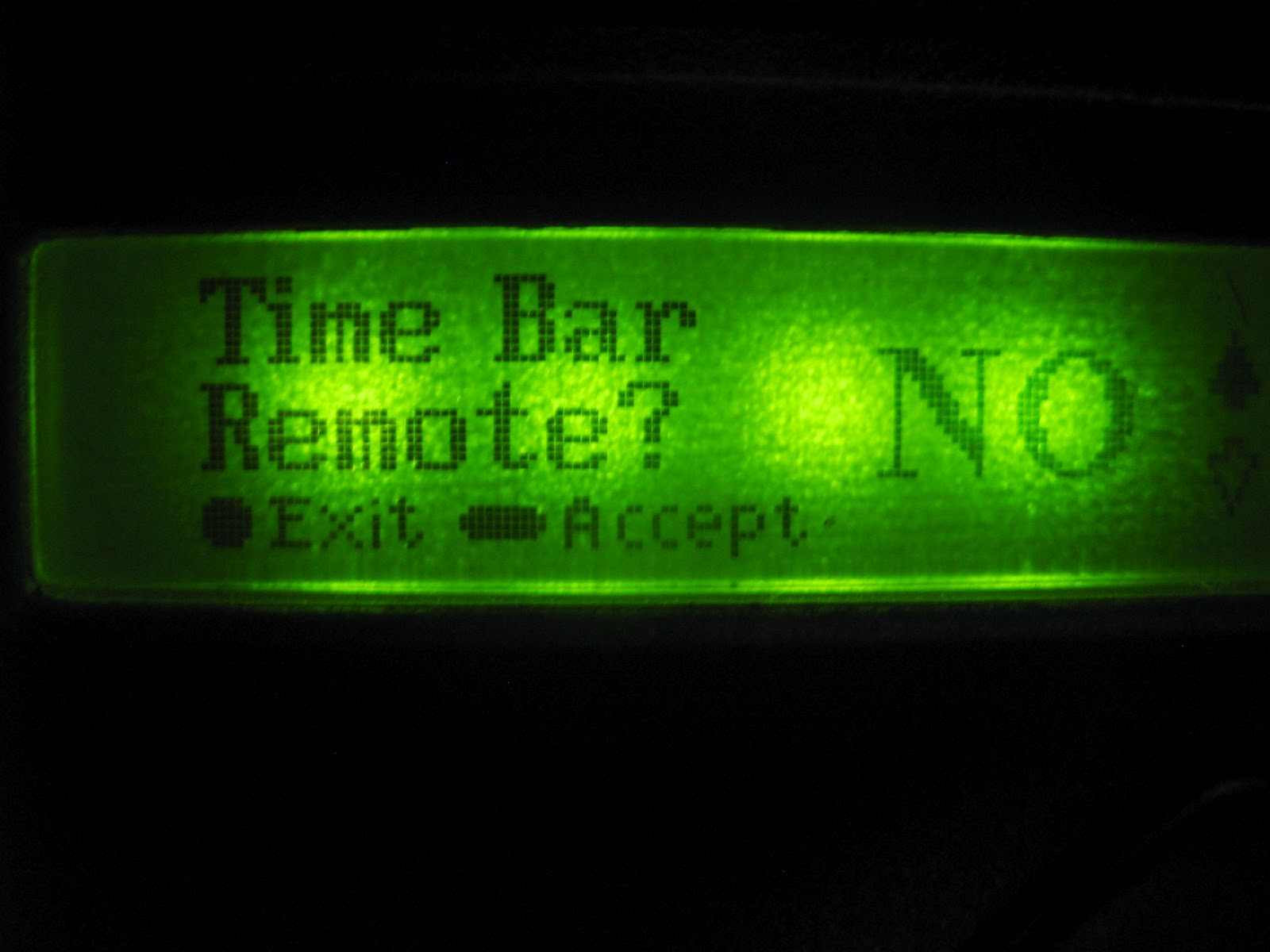
5.       The next screen will display “Time-bar remote:  No”.  If you don’t want to enable time-barring for that particular remote, simply press the oblong button to confirm your selection as being “No”.  If you want to time-bar the remote, press the up arrow so that the screen displays “Yes”, and confirm with the oblong button.


6.       The unit will now ask you to press your remote button.


7.       Press and release the desired remote button(s).


8.       A unique ID will appear on the screen, indicating that the button has been successfully learned.

9.       Now press the round button twice to exit Programming Mode.

10.   Hey presto!  Your CENTURION remote is ready to be used!

Sunday, 4 December 2011

Do your remote controls provide you with the security that they should?

Today, we'll be looking at a rather contentious issue that's been garnering a lot of media attention lately, so-called "signal jamming" by criminals.

A recent article that appeared in an Mpumalanga newspaper and various emails that have been doing the rounds have been causing quite a stir.

The article detailed how some remote controls may interfere with vehicle remote controls, which arm the car’s alarm and opens and closes the central locking systems. It is claimed that these remotes are responsible for jamming the vehicle’s remote control frequencies, thereby making it easy for thieves to help themselves to the contents of a car once an unsuspecting driver walks away. The car owner presses his remote control to lock his car, assuming his car is locked and the alarm is armed. Only to return to find all of his possessions left safely in his ‘locked’ car missing.

There has also been a fair amount of finger-pointing at particular brands of remote controls as being the culprits. There is also a huge amount of misinformation and confusion surrounding this issue, so CENTURION decided to clarify the misconceptions and help you understand how these incidents may have occurred, and what to do to ensure that it never happens to you.

Let’s start by delving into the technology that resides inside high-security remote controls. Any modern high-security remote control should have rolling-code technology. Essentially, this means that every time that you press the button on your remote control it changes it’s code (or identity) and the receiver in the car, gate motor, etc. that it usually talks to, correspondingly rolls its code to stay in synchronisation.
This means that your rolling-code remote control for your car or access automation system cannot be copied or cloned – providing you with great peace of mind.

However, the vast majority of vehicle manufacturers, and other manufacturers of remote controls such as gate and garage automation, produce remote controls that operate on a frequency of 433MHz issued by ICASA, the regulator for the South African communications sector. This results in this frequency being very busy with many, many remote controls utilising this airspace.

Typically what can happen is if two remote controls operating on the same frequency are activated simultaneously and within range of each other, the signals that they are transmitting can interfere with one another. The result could mean that the receiver doesn’t recognise the ‘strange’ interfered-with signal from its know transmitter remote control. What happens? Nothing – the receiver simply doesn’t react. This is fine if you’re trying to open your gate – your home is still secure, and you just press your remote again and your gate opens.

Now you can imagine that in the instance of locking your car you would want to know that your car really is locked when you press your remote control. If a car owner in your vicinity presses their remote at the exact same instant as you, or for some reason is holding their remote button down,
for example to automatically open all of their car windows before getting in to let all of the hot air out (nice feature!), then this will certainly interfere with your car’s remote control signal.

This doesn’t have to be another vehicle remote control; it could be any type of remote control operating on the same 433MHz frequency that can cause interference.

This is why most cars will give a visual and/or audible verification on receiving a remote control signal. Typically the indicators will flash, or the car will beep, once for locked and twice for unlocked.

The bottom line is that any remote control from any manufacturer is vulnerable to being jammed, or having its signal interfered with. Thieves may try to take advantage of this by flooding an area with remote control signals in the hope that you might simply walk away from your car without actually checking that it did lock and arm.

So please safeguard yourself and look for the telltale flashing indicators, or listen for the confirmation beep, which will reassure you that your car is locked and your goods are safe.

For further information or advice concerning remote control security please feel free to call any CENTURION branch or our customer service line on 0860 236 887.