
CENTURION Mini Product Catalogue

Showing posts with label centurion remote controls. Show all posts

Wednesday, 25 April 2012

Adding a CENTURION Remote To Your D-Series Gate Motor


in·tu·i·tive \in-'tü-ə-tiv, -'tyü-\ adj (ca. 1645)
1 a : known or perceived by intuition : directly apprehended  b : knowable by intuition ‹~ truths› c : based on or agreeing with intuition ‹~ responses› ‹makes ~ sense› d : readily learned or understood ‹software with an ~ interface›
2 : knowing or perceiving by intuition
3 : possessing or given to intuition or insight ‹an ~ mind›
— in·tu·i·tive·ly adv
— in·tu·i·tive·ness n

 This is the word that best describes the CENTURION D-Series interface.  Intuitive.  When you get right down to it, there’s really very little thinking to be done on the part of the user – the controller does it all for you!  From setting the limits to learning additional remote controls, setting up your gate motor using this advanced platform is like having a friendly robot holding your hand and guiding you through each and every step.
But, just in case you don’t know just how easy it is, this tutorial will guide you through adding a CENTURION code-hopping remote control to a D-Series gate motor’s onboard receiver.

1.        Enter Programming Mode by pressing and holding the oblong (centre) button for approximately two seconds.  The words “Setting Limits” will appear on the LCD display. 


2.       Press the up arrow once – the words “Remote Controls (Tx)” will appear on the screen.  Press and release the oblong button (this button serves as an “enter” or confirmation button of sorts) to enter the Remote Controls menu.


3.       Add Remote” will now appear on the screen.  Press and release the oblong button.


4.       The controller will now ask you what you want to use the remote for, for e.g. triggering the gate, opening for pedestrians, activating the Holiday Lockout feature, etc.  Say, for e.g. that you wish to press the remote to open, stop and close the gate; you will then select “Trigger Gate” as the primary function.  Once again you will use the oblong button to confirm your selection.

5.       The next screen will display “Time-bar remote:  No”.  If you don’t want to enable time-barring for that particular remote, simply press the oblong button to confirm your selection as being “No”.  If you want to time-bar the remote, press the up arrow so that the screen displays “Yes”, and confirm with the oblong button.
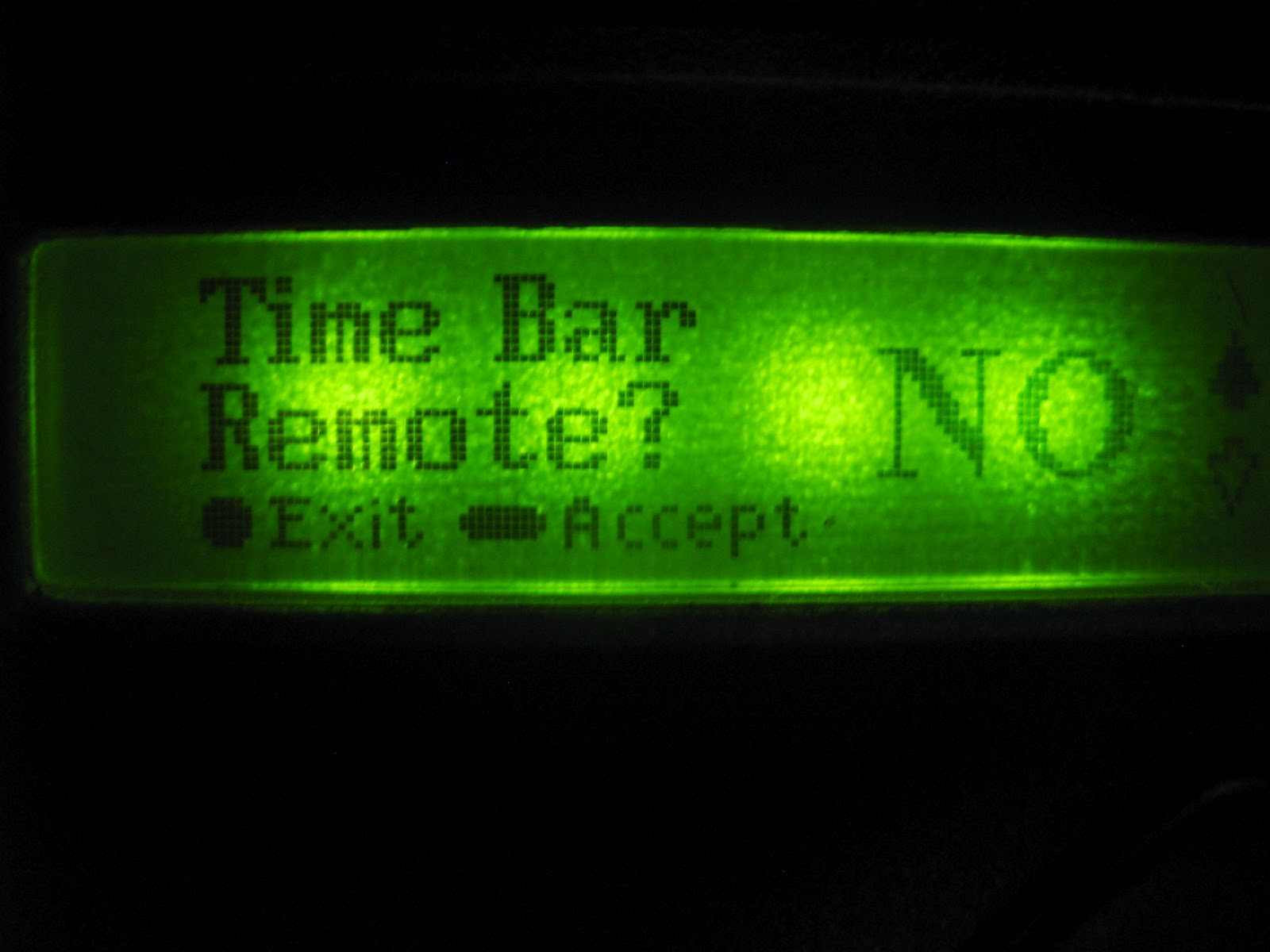


6.       The unit will now ask you to press your remote button.


7.       Press and release the desired remote button(s).


8.       A unique ID will appear on the screen, indicating that the button has been successfully learned.

9.       Now press the round button twice to exit Programming Mode.

10.   Hey presto!  Your CENTURION remote is ready to be used!

Thursday, 23 February 2012

Remote Controls: A Genesis

There is a popular (though probably misquoted) saying that declares that nature – and, by extension, humanity - should either “adapt or die”.  Although this axiom was probably not intended to be taken literally, it does hold a certain amount of truth when it comes to security.  As technology has advanced to become more sophisticated, more futuristic, so also has crime.  It’s almost as if criminals are using the very technology that we developed to keep them at bay, against us.  There’s been a definite evolutionary trend in crime. 

The good news is that we’re still ahead.  This blog post will look at how that staple of access automation – the remote control – has evolved to combat crime and how we are still on the winning side.

Dipswitch Days

Back when the world was young, dipswitch technology ruled with an iron fist.  Dipswitch-based devices were easy to use and configure and could be employed for a plethora of applications.  All that the user needed to do in order to synchronise a remote with a receiver was to set the little plastic switches in the same configuration on both devices and – hey presto! – the remote was programmed.

Now, it doesn’t take a great stretch of the imagination to see why this system might be considered vulnerable.  With the ease of setup and use came glaring security flaws which could not be ignored, and so fixed code remotes saw the light.

Fixed Codes:  The Next Generation

The advent of fixed code remotes dramatically increased the security of remote control systems.  There were no visible switches that a mildly determined criminal might copy - all the coding took place safely within the airwaves.  For a while, it truly seemed that this was a system that crooks could not circumvent.  Criminals being criminals, they eventually devised a means of “code grabbing” the transmissions and creating cloned remotes, thereby allowing them easy access into properties.

But once again, goodness prevailed and – in true comic book superhero style - a revolutionary new technology dealt the hoodlums of the world a crippling blow.

Rolling Code Technology:  The Final Frontier

Many of you reading this might be using CENTURION NOVA remotes and know them as the robust little blue and grey transmitters.  What you may not know is that NOVA employs an ultra-secure encryption technology known as rolling code, or Keeloq encryption.  This means that the code transmitted by the remote is always different to the previous one, with a possible 16 billion combinations.  In addition to this, it also passes through a sophisticated encryption engine which makes code-grabbing impossible.

So, dear citizens, rest easy knowing that – while we may not wear masks and capes like traditional superheroes – we’re still looking out for you.    

Monday, 30 January 2012

Give your remote control an extra button...or two!

On this blog alone you’ve probably come across the word “security” a couple of dozen times – and there’s a very good reason for that.  In the early 1940s, the influential psychology professor Abraham Maslow came up with the now-famous Hierarchy of Needs, which depicts in pyramid-form the basic human needs in order of importance (with the bottom of the pyramid being the most important).  In this hierarchy, Safety – which includes security of body, resources, family and the like – is ranked as being one of the most important human needs, second only to physiological needs such as eating and breathing.  That’s how paramount security is.

The aim of this blog is to help you be more security-conscious by arming you with useful tools, tips and guidelines and by providing new and innovative ways of assuring your own safety and the safety of your loved ones and possessions.  In today’s post, we will be looking at a useful feature inherent in some of our remote receivers, the so-called “shift” function.

What it is

 The shift-button functionality allows the user to artificially increase the number of buttons on a multi-button remote control by using a two-button combination.  In other words, activating a certain gate motor function will now involve pressing two buttons instead of one.

The Benefits

Although the CENTURION NOVA range of transmitters uses secure rolling code technology which makes code-grabbing impossible, making use of combinations rather than single-button activations is bound to up the security ante even further.  In addition, the shift system allows a three button transmitter to gain an extra function and operate four functions and likewise a four button transmitter gains two extra buttons and can operate six functions. 

Another benefit of using the shift button system is that it requires both hands to operate the two button combination.  How many times have you not activated the Holiday Lockout function by accident and was left scratching your head as to why you suddenly can’t open our gate?  With the shift button system, this is far less likely to happen as it now takes two hands to enable the Lockout.

How to do it

With your receiver in Learn Mode, simply press and hold the shift button, and then press one of the other buttons to create a new button.  This combination will then be pressed whenever the associated function needs to be activated.