
CENTURION Mini Product Catalogue

Showing posts with label gsm. Show all posts

Monday, 10 April 2017

5 Tips for a Worry-free Long Weekend Away

Come Friday, the country’s national highways will once again be packed as scores of South Africans make their way to various destinations in an attempt to squeeze the last few drops of sweet summer from the rapidly-fading season. A mass exodus from all the major cities on Thursday afternoon will mark the start of the four-day weekend, the sun glinting off the roofs of cars, caravans and Venter trailers like the scales of some gigantic metallic snake coiled along the length of the N3.

Make sure that you get the most out of your long weekend away with these five tips promoting maximum peace of mind.

Inspect your mode of transport
Copyright: ikonoklast / 123RF Stock Photo

Nothing puts a damper on holiday festivities faster than car trouble. Not only can it be extremely dangerous getting stranded out in the middle of nowhere (we’ve all seen The Hills Have Eyes and Wrong Turn, haven’t we?), but a breakdown is likely to end up costing you precious time and money that could have been better spent on typical holiday revelry.

Be sure to check the following aspects of your vehicle:
  • That your tyres (including the spare) are all in a good condition
  • Fluid levels (water, oil, brake fluid)
  • That you have enough fuel
  • Lights and indicators (including those of your trailer if you are taking one along)
Finally, if your insurance company offers roadside assistance, save the number on speed dial.

Confirm your reservation beforehand

Again, if countless horror movie tropes about cannibalistic families preying on desperate shelter-seekers are anything to go by, the last thing you want is to have to look for last-minute accommodation because your original booking didn’t pan out. Always confirm check-in times and dates a good couple of days before your trip, and be sure to take proof of payment and reservation with you.

Read some online reviews

Copyright: jirsak / 123RF Stock Photo
In the Information Age, there’s precious little information that can’t be found online, including accounts of previous visitors’ experiences at guesthouses, B & Bs, hotels and resorts. Do yourself a favour and search for ratings and reviews about your intended accommodation. Websites such as Booking.com, Tripadvisor and Lekker Slaap enable you to book directly via the website as well as read reviews. You can really save yourself a world of discomfort and disappointment by doing some online research first. Tried and true!

Check news sites for information about strikes that could affect you

There are a number of ways that your trip could be adversely affected by industrial action. Firstly, if there’s a fuel strike planned, it’s important that you stock up on enough of the stuff to get you to your destination and back. Fill up your tank, fill a couple of cans and keep them in a cool, safe place away from heat and open flames. Secondly, strikes often turn violent, so if you’re travelling through affected areas, you might want to consider a route change.

All-important security


We all knew we were building up to this point, didn’t we? But concerns about security amount to one of the leading causes of worry during vacations, probably because we are not comfortable with relinquishing control and leaving our homes and possessions unattended for extended periods of time.

But fear not, you don’t have to give up control completely. For example, you can install a GSM device and receive SMS notifications when someone opens your gate, or there’s a power outage back GSM intercom fitted and answer your intercom from anywhere, giving the impression that you’re home. Below we’ve provided some additional security tips:
home. Or have a
  • Have a friend or neighbour collect your mail
  • Check your alarm system before embarking on your trip (a GSM device can also be configured to notify you of alarm events, and it enables you to switch your alarm on and off via SMS text messages from your phone)
  • Put outside lights on a day-night switch and set it up so that the lights come on at night (or – you guessed it – just invest in a GSM device! You can also connect lights to your D5-Evo’s light relay and use the gate motor’s onboard timer to automatically switch them on and off. #IntelligenceInMotion)
  • Inform your armed reaction company that you’ll be away from home for a while
  • Ask someone to maintain your swimming pool while you’re away
  • Lock valuables in a safe
  • Check that doors, locks and windows are secure


Friday, 27 January 2017

New G-WEB PLUS Innovation Introduces the Contact List

Users of CENTURION’s G-WEB PLUS online interface will now be able to populate a useful central contact list from which they can conveniently import contacts to their devices.

The web portal, which was launched as a companion product to the G-SWITCH-22 GSM module in 2011, has undergone a dramatic transformation in recent months with both cosmetic and functional changes at the order of the day. Since its genesis, G-WEB has evolved to meet client usability and security needs, but the true epoch of its ongoing metamorphosis was when “PLUS” was affixed to the product’s name, for it signaled a new era marked by the addition of a plethora of new features.

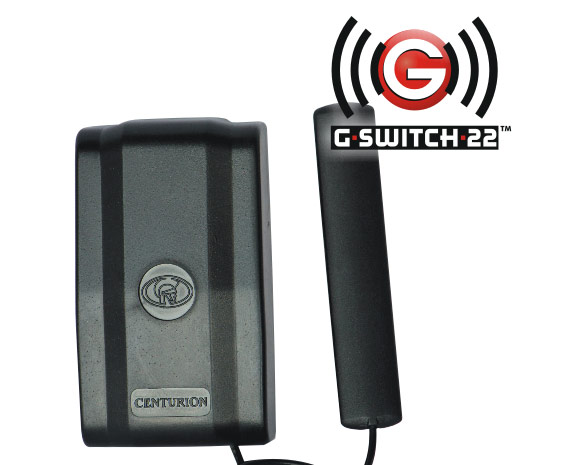
While G-WEB was originally launched as a management and administration portal for what was at the time CENTURION’s sole GSM product, the aforementioned G-SWITCH-22, it has since become a turnkey solution complete with a device health monitor and the ability to download transaction logs indicating not only device interactions, but also changes made to the system settings.  

With the improvements to G-WEB, CENTURION is another step closer to embracing media mogul and communications pioneer Marshall McLuhan’s concept of the global village, and creating an environment in which the digital and the corporeal worlds converge.

In conclusion, G-WEB PLUS is an altogether more mature and well-rounded offering than its predecessor and, judging by the paeans of praise pouring in from the public, one that is a hit with its users. 

To set up a contact list, log into G-WEB PLUS and, on the home screen, click on the My Contacts menu item:


To add a contact, simply click on Add Contact to the bottom left of the screen:


You’ll now be presented with a pop-op screen. Once you’ve completed the requisite fields, simply click on Add to complete the addition, or click on Done Next to add more numbers.


Should you wish to add a number to a device using your contact list, navigate to that device’s access numbers, and click on Add Number from Contact List:


Have you checked out our series of G-WEB PLUS video tutorials on YouTube? Watch them here.

Thursday, 5 January 2017

Property Managers: This is Why You Need GSM Access Control

Copyright: gstockstudio / 123RF Stock Photo
Orange is the new black, coffee is the new wine, comedy is the new rock ‘n roll and, if current security trends are any indication, cellphones are the new remote controls.
Say what?

While remote controls will undoubtedly always have a place in the access control environment (and in our sentimental old hearts), there are those who consider them to be anachronistic and passé, remnants of a simpler time. Technology, by its very definition, has to keep evolving and nowhere is this truer than in the case of security technology, where a single misstep in the race to stay ahead of the criminal curve could have disastrous and far-reaching consequences.

Property managers and bodies corporate are switching over to GSM access control en masse. Is this a passing fad, or is cellphone access control here to stay? What’s all the hype about?

Let’s find out.

Lower stock-holding

Copyright: twinsterphoto / 123RF Stock Photo
Is having a box full of remotes in your office cramping your style? Could that spot in the corner better be utilised by your golf clubs? A surprising benefit of using GSM access control at the property, or properties, that you manage is that it can actually free up some space as you don’t have to keep any physical devices in stock.  The tenants use their own cellphones for access.

More security


Remotes have gotten a bad rap of late as vulnerable to security threats such as copying or cloning and, in the case of code-hopping systems such as CENTURION's NOVA, there is actually very little risk of this happening. That being said, GSM offers an even more secure solution since only learned-in, authorised phone numbers can access the system, which is usually also password-protected. In addition, website administration makes it possible to draw detailed transaction logs documenting which numbers were used for access, at what times, etc.

Monitoring

Whereas remotes can generally only be used for control (it’s right there in the name), the majority of GSM devices offer outputs as well as inputs, which can be connected to alarm systems, electric fences and even mains power and set up to send the users SMS notifications of events such as power failures and alarm breaches.

Offsite administration

This is another major, time-saving benefit of opting for GSM access control: the fact that users can be added and deleted, device settings edited and bulk communications sent – all from the comfort of one’s home or office. A number of leading GSM products offer offsite administration via a website or online portal. This also makes life easier for tenants since they don’t have to wait for someone to come and program their remote onsite. It can be done remotely in a matter of minutes.


Sunday, 13 November 2016

Experience the Future of GSM Device Management

Just in time for the holidays, the new-look G-WEB PLUS interface has just been launched by the hard-working CENTURION elves (read: the R & D department) with a fresh, cleaned-up design and loads of yummy new features to gorge on before the festive season is even in full swing.
Since it was first launched in 2012, CENTURION’s online portal for the offsite administration of GSM devices has undergone myriad changes, and none more dramatic than this latest batch of cosmetic and functional enhancements.

Sink your teeth into these delectable techno-morsels:

The site is now mobile friendly
Copyright: bacho12345 / 123RF Stock Photo
In keeping with the times, the site’s layout will now automatically detect the user’s screen size and adapt the layout of the content accordingly, meaning that users can comfortably navigate and interact with the system whether they’re using a desktop, laptop, tablet or smartphone.

Faster synchronisation

The time that it takes for the website to synchronise with a GSM device has been dramatically reduced thanks to some clever coding and, as an added bonus, the system now provides detailed user feedback of the synchronisation transaction as well as the ability to synchronise all selected devices, and not just one device at a time.

Custom fields

These enable you to customise the information displayed for a mobile number anywhere on the site.

Secondary user feature

You can now share ownership of a device by adding a Secondary User. You’ll also be able to adjust how much control the Secondary User has over the device by giving them either read only or read and modify privileges.
Copyright: martialred / 123RF Stock Photo

Clone a device

This incredibly useful, time-saving feature enables you to copy all the settings and numbers from one device to another.

Export in multiple formats

G-WEB PLUS allows you to export numbers in PDF, XLSX or CSV. You also now have the facility to export selected transaction logs for specific time-periods.

Improved user experience

A number of powerful tools including Sort, Filter and Group have been added to the interface’s arsenal of features.

Smarter searching

The Searching facility has been optimised to get you results faster.

Go to http://gweb.co.za to register and experience the future of GSM device management. You can also go and check out some really cool G-WEB PLUS tutorials here

Tuesday, 30 July 2013

10 Uses for Your GSM Module


We have officially declared August GSM month! Why? Because we can, and because we want to share with you some of the cool things that you can do with a GSM module, that you probably never even thought was possible! We’re generous like that.

Just in case there’s any doubt as to how absolutely, positively fantastic this technology is, let’s take a moment to reflect on the fact that all of the things mentioned in this article can be done using your phone! Yes, you heard that right, it turns out it’s good for more than playing Angry Birds on while pretending to be hard at work.

1.       Open your gate

Okay, we cheated a little with this first one since most of you probably knew that you can use a GSM module for this. But still, no more bulky remotes that can be lost or stolen you say? Count us in!

2.       Switch on a fridge

Fridges are notoriously heavy on electricity and, if it’s one that you only use occasionally – say, a fridge aboard your boat or in your “man cave” - it’s probably rather impractical (not to mention expensive) to keep the thing running year-round until it has run up a utility bill that looks like a teenager’s phone bill. So what do you do? Just hook that puppy up to a GSM module, missed call or SMS the unit an hour or two before the big game – and enjoy your ice cold brewskies right on cue. Now that’s a bro move.

3.       Arm an alarm

Allow us to posit the following bone-chilling scenario: You’re on your way to the dam armed with your rods and your cooler box, the sun has just started to creep over the horizon painting the sky in majestic shades of ochre. Today, you fish. And nothing is going to stop you. Suddenly you realise, much to your chagrin, that you forgot to arm the house alarm and there has been a spate of burglaries in your neighbourhood. Do you turn the car around and miss out on the opportunity to show the bass who’s boss (see what we did there?)? Not if you have a GSM module installed!

4.       Warm up your bed

It’s an icy July evening, you’re working late, and the only thing you want right now is to go home and get into bed with Volume III of A Game of Thrones. If only there was some way of switching your electric blanket on remotely and letting it warm up your bed (which is presently as cold as Dracula’s sarcophagus) while you’re driving home. Oh wait, that’s right, there is. GSM!

5.       Irrigation

The MyGSM onlineuser portal allows you to set up your module to perform automatic activations, for example activating your sprinkler system at 4 o’ clock every afternoon. Even when you forget, your GSM module won’t – this is automation working for you.

6.       Keep tabs

Up until this point we’ve mostly been focussing on our GSM products’ switching capabilities, but did you know that you can use them for monitoring as well? Receive SMS notifications on your phone when your alarm is activated, mains power has failed or even when someone is blocking the infrared gate safety beams in front of your gate!

7.       Time and attendance

If you have people working for you, whether it be a single domestic worker or you head up a slightly larger undertaking, CENTURION’s GSM modules and accompanying web interfaces allow you to keep tabs on when they report for work and when they knock off. Both G-WEB and MyGSM.co.za store transaction logs containing the date and time of the transaction, the access number used, the name of the person assigned to that number, and the output triggered. These can then be viewed at the administrator or employer’s leisure and used for tallying the hours worked, calculating salaries and overtime, etc.

8.       Control the aircon

“But Charl,” I hear you saying, “air conditioners have remotes! Why would you want to control them with your phone?” That’s a fair point, but what if you’re not in the physical vicinity of the aircon unit? Say, for example, that you’re the proprietor of a bed and breakfast and you’d like guests to be greeted by a nice, cool room upon arrival but you don’t necessarily have the time and resources to go to each and every room and switch on the aircon (or to switch it off once the ambient temperature has been sufficiently cooled down). Then, kemo sabe, you simply whip out your cell phone and issue the command, as it were.

9.       Lock down your entrance electronically

So the fishing trip you went on in point number 3 didn’t work out exactly as planned, and you ended up catching no more than a bad cold. You have now set your sites on going down to the coast, but that means leaving your home unattended for at least a week and you worry that your domestic staff, all of whom have remotes to your property, will use this opportunity to help themselves to your stuff. Well, you probably already know where this is going...

All CENTURION operators offer a unique little feature known as Holiday Lockout that, when activated, causes your gate motor to ignore inputs from all devices except the one that invoked it. Connect the GSM module to your gate motor’s Holiday Lockout input and ensure that “there ain’t no one gettin’ in ‘cept you”.

10.   Monitor fluid level

Whether you want to know when your Koi pond is full, or you’d like to be notified when a diesel generator needs refilling, you can’t go wrong with a GSM module acting as sentry. Since the module will notify you via text alert once the fluid reaches a certain level, there’s no need to check on it manually and thus you’ll have time for life’s more important things (read: fishing and watching rugby).

In what creative way have you used your GSM module? Let us know in the comments!